
Directory Lister Pro is a powerful utility that allows creating lists with the files and subfolders contained by a directory. It allows exporting these lists to various file formats like HTML, CSV and TXT. The listings can also be directly printed or sent via e-mail.
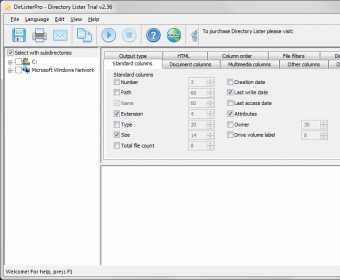
The best thing about this tool is the fact that it offers a really easy, fast and effective manner of customizing how the lists look and what they contain. This handy tool can be easily set up to include or exclude certain columns from the created lists. These columns can display a large variety of file information, including the properties of multimedia files (tags like title, artist, album, genre, etc.), the metadata of documents (title, author, keywords, etc.), or attributes specific to any file type, including executables, such as file version and description. Briefly, you can use this handy tool to create file lists that look exactly as you need.
Though it comes with powerful and comprehensive list customization possibilities, Directory Lister Pro is also very easy-to-use. Its interface is intuitive and straightforward, posing no problems even to beginners. It also comes with a really high speed of scanning the directories for the contained files.
To sum it all up, I like every aspect of Directory Lister Pro and can’t find any downside or reason for criticism of it. This tool is flawless and represents a great choice for any file listing needs.






Comments (1)